IPTV MANAGEMENT PLATFORM

EGY PLAYER
— The Ultimate
Best IPTV
Experience

Your Perfect IPTV Player for Seamless Streaming. Link your Smart TV, manage playlists, and activate your device from anywhere in the world.

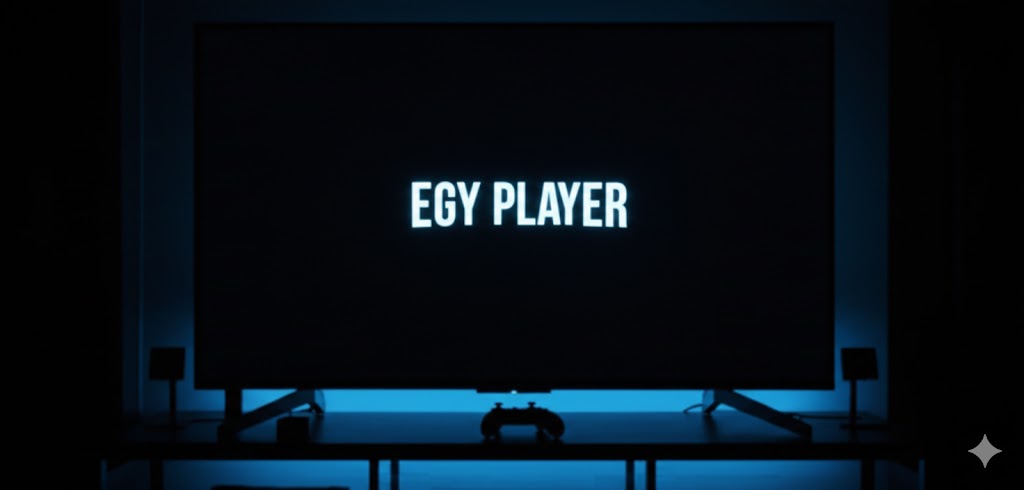
EGY Player on Smart TV
Live Streaming Active
Connected to your device
The Ultimate IPTV
Media Experience

EGY PLAYER is a cutting-edge IPTV player that transforms how you watch content. With Full HD to 4K resolution and crystal-clear audio, it immerses you in every scene.

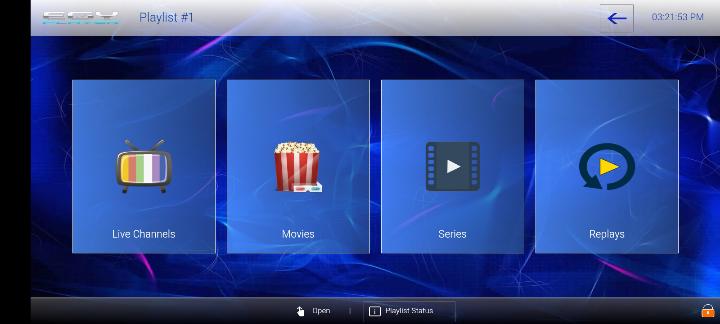
Compatible with all major Smart TV platforms — Samsung Tizen, LG WebOS, Android TV, Apple TV — EGY PLAYER brings your content to every screen seamlessly.

Mobile streaming
Entertainment
Everything You Need

Smart remote management for your IPTV setup.

Multi-Device Sync

Register your TV MAC address and synchronize settings instantly. Compatible with Samsung Tizen, LG WebOS, and all Android TV brands.

Remote Management

Update M3U links and Xtream credentials remotely. No need to type long URLs with your TV remote.

Secure Activation

Protect playlists with our unique Device Key system. Only authorized users can modify settings.

Smart Format Recovery

Automatic fallback detects incompatible formats and switches to the best playable source for your device.

Premium Features for an Unmatched Experience
1

Resume Playback

Pick up where you left off — no more searching for lost scenes.

2

Favorites List

Bookmark your top content for quick access anytime.

3

EPG (Electronic Program Guide)

Never miss a show with built-in program scheduling.

4

Multi-Language Support

Supports multiple languages to cater to users worldwide.

5

Universal Translation

Language will never be a barrier — comprehensive automatic translation.

6

Elegant & Customizable UI

A minimalist yet powerful design for stress-free streaming.

Reseller partnership
RESELLER PROGRAM
Build Your Business with EGY PLAYER

Resellers: Profit from Every Plan

Exclusive Annual Access + Special Lifetime Pricing. With EGY PLAYER, you gain a unique advantage in the IPTV market.

Flexible 1-year & lifetime license options

Offer your customers both annual and lifetime plans at competitive prices.

Competitive and exclusive reseller pricing

End users pay standard rates, but as a reseller you get special reduced pricing.

Priority technical support and business resources

Dedicated support team to handle any customer challenges you face.

📢
Exclusive Benefits for Resellers
If you're a distributor aiming to stand out and enhance your services, EGY PLAYER offers exclusive features tailored to boost your presence in the industry.
• End users pay €15 for the Lifetime plan, but as a reseller, you receive a special reduced rate.

• The Annual plan is now available exclusively through certified resellers.
Start Your Reseller Journey Now
Unique Brand Identity

EGY PLAYER allows you to customize your own logo.
Domain Protection
Easy Domain Management
Available On
Support team

24/7 Support

Our dedicated support team is here to help you with any questions or assistance you may need. Contact us via email at egydev20@gmail.com or visit our Support Page for more information.

Contact us via WhatsApp
Why Customers Choose EGY PLAYER

Built for stability, fast activation, and easy remote management.

01

Reliable Device Binding

Each TV is mapped using MAC + Device Key, reducing unauthorized edits and keeping playlists under control.

02

Fast Playlist Provisioning

Add M3U and Xtream playlists, sync instantly, and keep full history inside playlist management.

03

Support-Ready Operations

Built-in support form, live status indicators, and clear policy terms make onboarding easier.

Welcome To EGY PLAYER

Activation Device

Manage your playlist simply wherever you go
Where is my Key? Open EGY PLAYER on your Smart TV. The MAC and Key appear on startup.
TRIAL
MAC
Expires
Upgrade Now
Manage Playlists
All your connected playlists. Click a card to view and edit its settings.

Choose Playlist Type

M3U Playlist

Add a playlist using an M3U or M3U8 URL link from your IPTV provider.

Xtream Codes (XC)

Connect using Xtream Codes credentials — server URL, username and password.

Add M3U Playlist

Add Xtream Codes Playlist

Manage Playlists

M3U
Connection Settings
Playlist URL
The M3U or generated XC stream link
Playlist Name
The display name for this playlist

EGY PLAYER Support

Solutions to common issues and guidance for optimal performance

Send Us a Message

We'll get back to you as soon as possible.

Quick Channels

Reach us directly.

Contact Email

egydev20@gmail.com

Getting Started with EGY PLAYER
Getting Started

About EGY PLAYER

EGY PLAYER is a premium media player supporting M3U/M3U8 playlists. Enjoy a 7-day free trial upon installation.

Setup Guide

  1. Download from your device's app store
  2. Launch: App auto-activates 7-day trial (note your MAC ID & Device Key)
  3. Visit this portal → Activation Device → Enter MAC & Key → Add Playlist
  4. Restart app to access your content
Frequently Asked Questions
Why can't I login with my MAC address?
Only devices registered in our system can access the portal. Your MAC address must first be registered via the EGY PLAYER app on your TV.
How long does synchronization take?
Sync is instant. Once you save your playlist, restart the app on your TV to see changes.
Is lifetime activation transferable?
Lifetime activation is linked to your TV's hardware MAC address and cannot be transferred.
Is the PIN required for my playlists?
No. The PIN is optional and only used if you want to protect specific playlists from unauthorized access.

About Us

Our team is built around fast activation, stable streaming, and real support response.

Activation Operations

MAC + Device Key onboarding with real-time verification.

Platform Engineering

Playlist parsing and Xtream integration for TV apps.

Customer Success

Fast troubleshooting, clear policies, and reseller coordination.

EGY PLAYER combines device security, flexible playlist support, and reseller-grade management in one ecosystem.

Privacy Policy

We collect only the technical data needed to activate devices, sync playlists, and provide support.

MAC address, device key, and activation status are used for account validation.
Playlist metadata is stored for remote sync and playlist management.
Support messages may include device details you submit for troubleshooting.
We do not ask for your PIN or password outside the official portal.